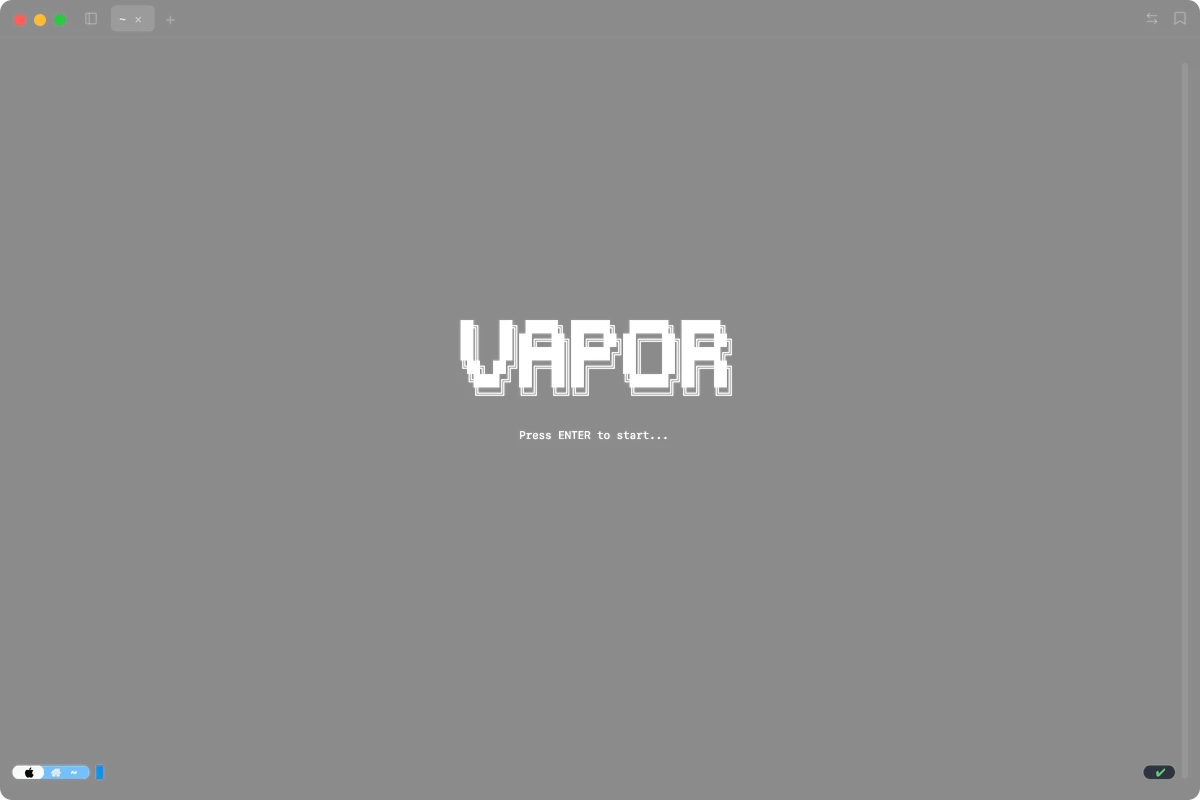

vapor
A terminal with an editor in it.
Panes split in any direction. There's a Monaco editor and a file tree built in, and it picks up SSH and Docker sessions on its own. macOS only.
Features
Pane rearranging
Toggle move mode and drag panes wherever you want. Alt+Shift+arrows moves focus between them. Each tab has a minimap that updates as you rearrange things.
Tabs name themselves
Open a terminal in a git repo and the tab says the repo name. SSH somewhere, it shows the remote directory with the hostname as a badge. Double-click to override.
One config file
Font family, size, ligatures, shell path, background opacity, theme. All in config.json. Cmd+comma opens it.
Workspace save and restore
Saves every tab and split and pane position to disk under a name you pick. Reopen it later or delete it.
Tab reordering
Drag to reorder. Swipe the trackpad to flip between them. When you've got multiple panes in a tab, a minimap shows up so you can see the layout at a glance.
Exit code on the tab
Green dot if the last command worked, red if it didn't. Directory tracking via OSC 7. Works with zsh and bash.
Split panes
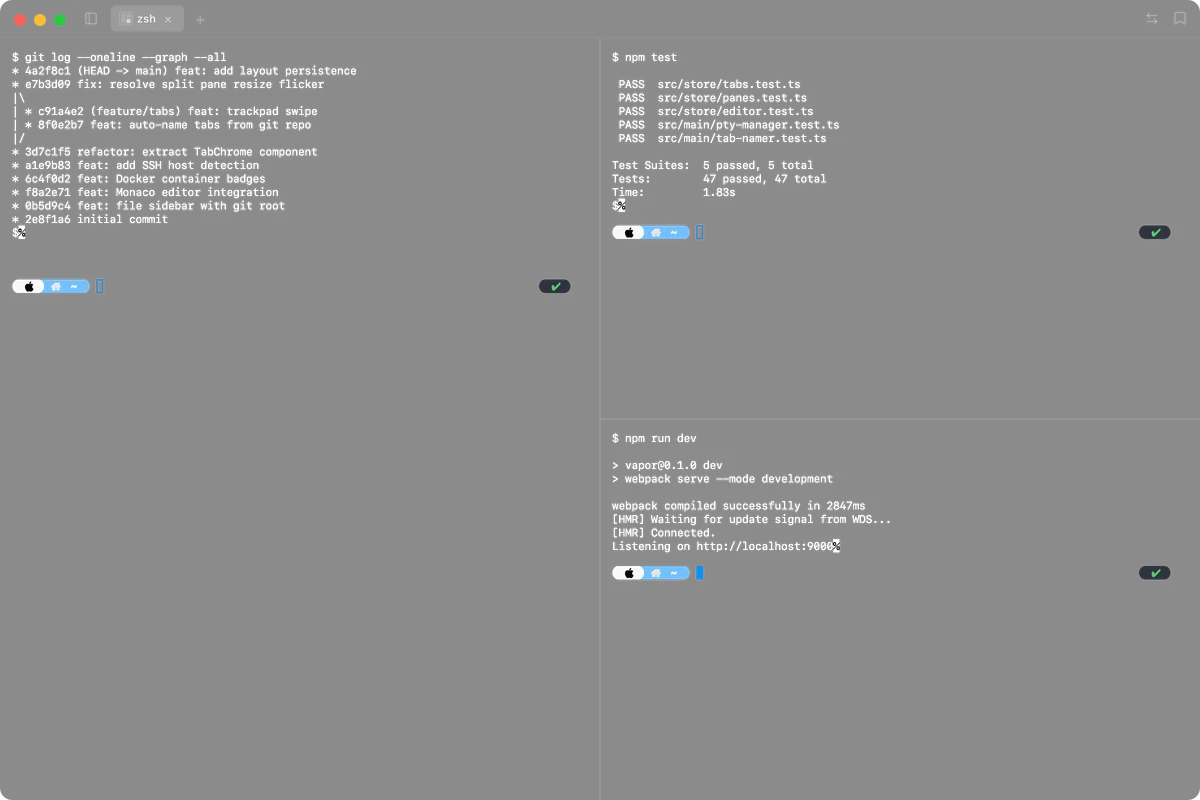
Cmd+D splits horizontal, Cmd+Shift+D splits vertical. You can stack three SSH sessions next to a log tail, or put an editor pane beside two shells — whatever makes sense for what you're doing. Drag the borders to resize.
Tabs name themselves
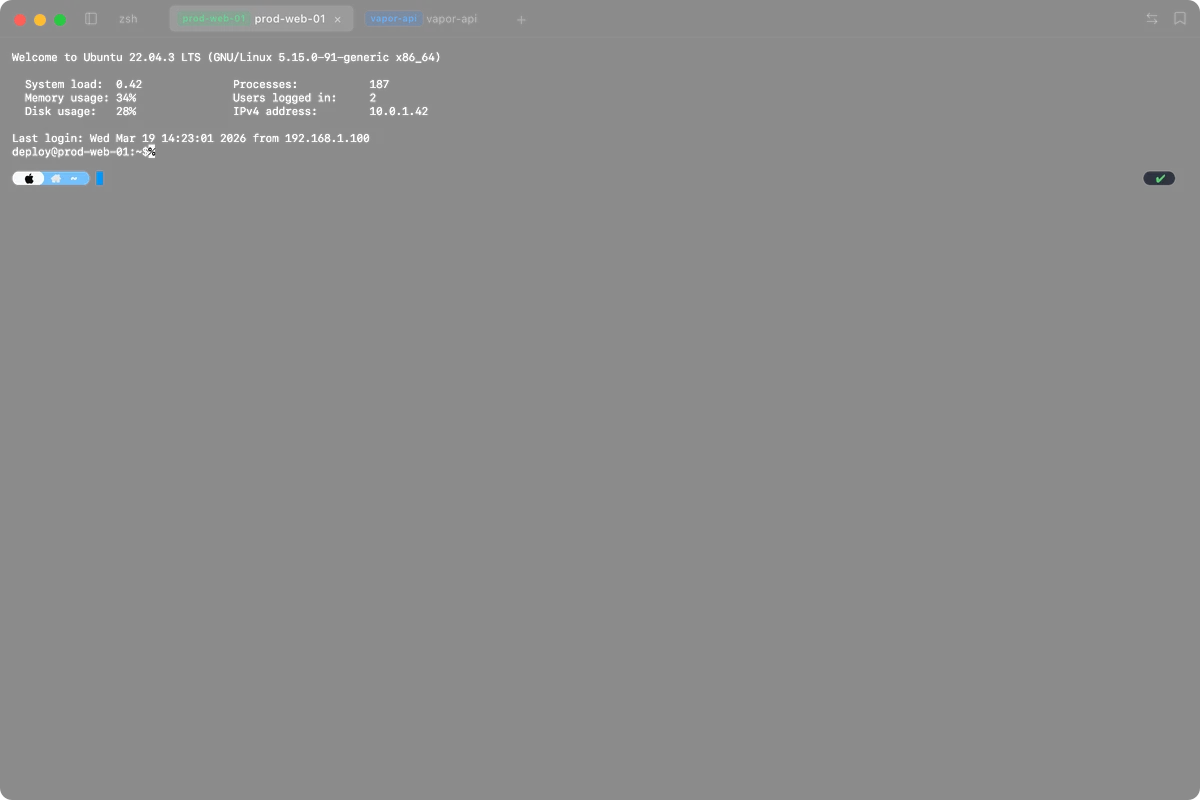
Open a terminal in a git repo and the tab shows the repo name. SSH somewhere, it shows the remote directory with the hostname as a green badge. Docker containers get a blue badge. Double-click any tab to override with your own name.
Quick connect
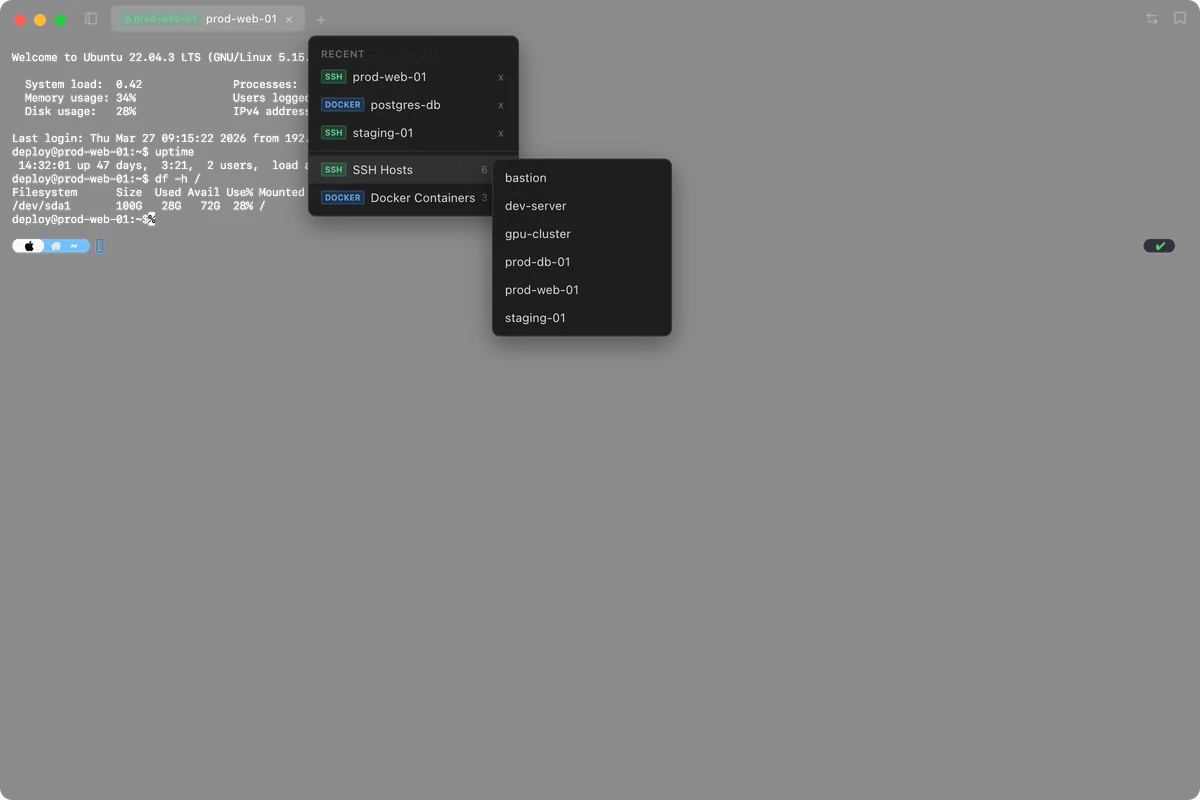
Right-click the + button and pick a host from your SSH config or a running Docker container. The new tab locks to that connection — every pane you split auto-connects there. A lock icon on the badge tells you at a glance which tabs are pinned.
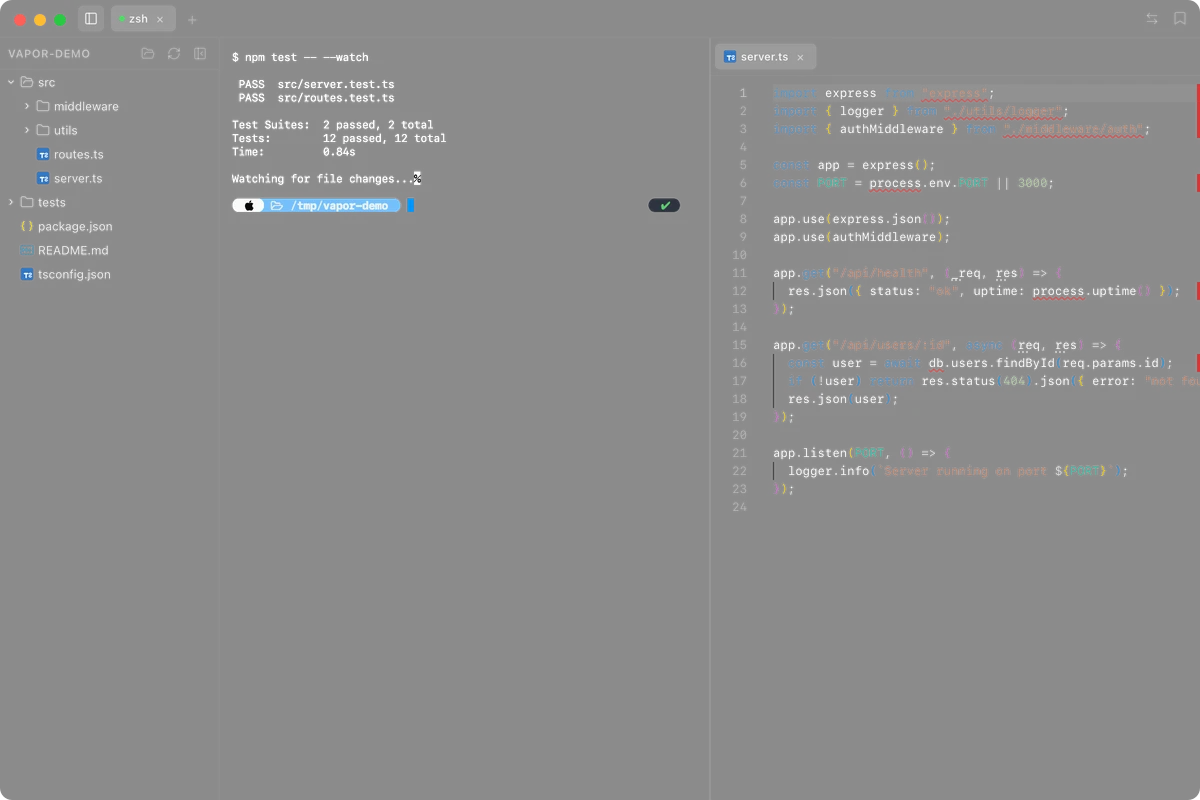
Monaco editor
Click a file in the sidebar and it opens in an editor pane next to your shell. Or type 'vpr <file>' to open it from the command line. It's the same engine as VS Code — syntax highlighting, file tabs, unsaved-change indicator. Cmd+S writes to disk.
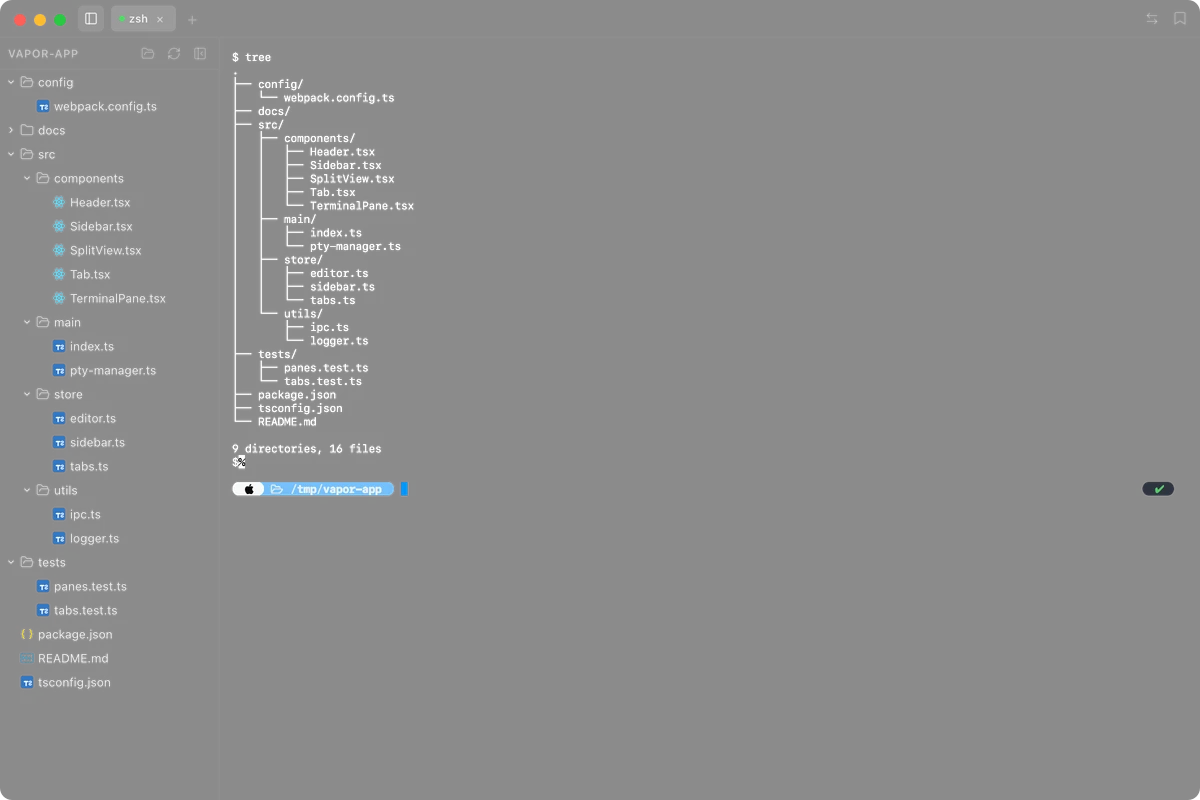
File tree
Cmd+B opens it. Finds your git root automatically and starts there. Pin a folder if you want. File changes on disk show up without refreshing, and node_modules and .git are hidden by default.
Built with
Download Vapor
macOS only. Free and open source.
Not sure which Mac you have? Apple menu → About This Mac.